Phone Book Application
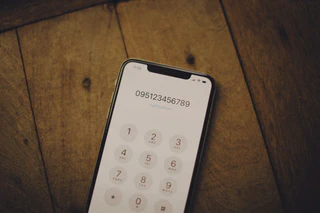 Image credit: Unsplash
This is a simple mobile app I created for my “Mobile Programming” course in the 2024 fall semester. This project is a phonebook management app that utilizes fundamental Android features and a database.
First, I designed a database named phoneDB and a table named phoneTBL. This table stores a name (VARCHAR(20)) and a phone number (VARCHAR(20)). I set a UNIQUE constraint on the name column to prevent duplicates. I included two initial data entries: “Hong Gil-dong” and my own contact information.
The main features I implemented are as follows:
Main Screen (Read Data): On app launch, the app queries the database and displays all saved user names in a ListView. An “Add” button and an options menu are placed at the bottom.
Add Contact (Create): Tapping the “Add” button opens a separate Activity to receive name and phone number input. Upon completion, this information is passed back to the main Activity, saved to the database, and the ListView is immediately refreshed.
Database Initialization (Delete All): Selecting “Initialize” from the options menu displays a confirmation dialog. If the user confirms, all content in the database is deleted, and the list is refreshed.
Data Backup (Export): Through the “Backup” feature in the options menu, I implemented a function to save all names and phone numbers from the database as a .txt file (named after my student ID) to the /sdcard path.
Phone App Integration (Intent): When a specific item in the list is clicked, the app retrieves that item’s phone number and uses an Intent to immediately launch the default Android phone app with the number pre-filled.
Update & Delete: A long click on a list item navigates to a separate Activity where the selected item can be modified or deleted. I implemented confirmation dialogs for each action. Upon completion, the changes are reflected in the main Activity’s database and ListView in real-time.
